Monday, December 18, 2017

Feel Better Bear

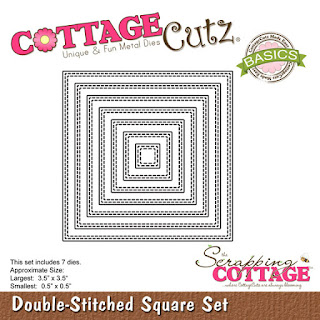
CottageCutz recently released a whole bunch of "Get Well" dies for your pleasure.  And they feature some really cute images.  I'm using several of these dies on my card today.  Again, I've made something other than an A2 card -- it's a Z Box Fold card, using both Bear Patient die and the Ouch with Tooth die, as well as a Double-Stitched Square die.


As I wasn't sure which of the images from the Bear Patient die I was eventually going to use, I cut all the pieces out of white cardstock so that I could color them.  I knew I was only going to use one sentiment from the Ouch with Tooth die, so I just cut it out of red cardstock.


Using various Copic markers and a couple of Wink of Stella brushes, I colored the bear pieces and constructed the various images.


I then cut the cardstock for the base of my card -- a 4 1/4" x 5 1/2" piece of dark brown and a 9 3/4" x 4" piece of kraft.


I scored the long piece at 5 1/4".   With the short edge of this piece at the top of my paper cutter and the long edge at the 1" mark, I cut a slit from the 3" mark to the 7 1/2" mark.   IMPORTANT:  If you decide to make a similar card, be sure that the larger section of the cardstock strip is at the top before you cut the slit.  (Ask me what happens when you don't place it in your paper cutter the correct way!)


I placed the strip on my Scor-Pal with the long edge across the top and the larger section toward the left.  I then scored at the 3" mark down to the slit.  At the end of the slit (at the 7 1/2" mark), I scored down to the edge.  (I slightly folded on the score lines so that you can see them.)


Fold on the score lines to make the "box."


Apply Scor-Tape to the back of the 4 3/4" x 4" section, as shown.


Now it was time to cut the background panels of the card.  I wanted to use the Double-Stitched Squares and Rectangles on my card, but the rectangles weren't quite the right size.  So I just cut the front panel with the die and the rest of the panels as listed:

Cream cardstock - 2 1/2" Double-Stitched Square, 4" x 2 1/2" rectangle
Dark brown cardstock - 2 3/4" square, 4 1/4" x 2 3/4" rectangle, 3/4" x 5" strip, and (2) 3/4" x 2" strips
Patterned paper - 1/2" x 4 3/4" strip and (2) 1/2" x 1 3/4" strips


I layered the panels and adhered them to the front of the card.


I then glued the die cuts to the front and inside panels . . .


. . . removed the protective covering from the Scor-Tape and glued the back panel to the dark brown card base, carefully centering it.


And my card was complete.


CottageCutz dies used on my card are:

http://www.scrappingcottage.com/cottagecutzbearpatient.aspx

http://www.scrappingcottage.com/cottagecutzouchwithtooth.aspx


http://www.scrappingcottage.com/cottagecutzdouble-stitchedsquaresetbasics.aspx


Thursday, December 14, 2017

CCEE1750 - Favorite Holiday Stamps

Maryann continues as hostess for the CCEE Stampers for our final challenge of 2017.  She said: "Let's keep things simple for our final challenge for the year. Use your favorite holiday stamps to create a card."  This may not be my favorite holiday stamp, but it definitely is my favorite Santa stamp.  I think that's the most beautiful Santa face I've seen.


Check out the CCEE Stampers blog to see some more favorites!  The CCEE Stampers are taking the rest of the year off to spend time with our families and friends.  We hope you'll join us again in January for more challenges and fun!

Monday, December 11, 2017

Nativity Easel Card

Even though Christmas is just a few weeks away, I'm still making Christmas cards.  As you probably are aware, I like to make fun-fold cards.  A particularly easy one is an easel card, and I have just that for you today.


I wanted to use navy as the card base, but I don't have any heavyweight navy cardstock; so I used heavyweight white as the base and just used the navy as a mat layer behind this really pretty marbleized pattern paper.  I cut two pieces of white -- 4 1/4" x 8 1/2" and 4 1/4" x 4 1/4"; two pieces of navy - 4" x 4"; and two pieces of patterned paper 3 7/8" x 3 7/8".


I scored the larger white piece on the long edge at 2 1/8" and 4 1/4" . . .


. . . and folded on the score lines.


I then layered the two square panels -- one with white/navy/patterned paper and the other with just the navy/patterned paper.


It's important to use a strong adhesive to hold this panel onto the easel, so I placed three strips of Scor-Tape on the final small section of the easel . . .


. . . and adhered the square front panel.


I then cut my die-cuts from navy, silver and a scrap of red.  You'll notice that I cut several layers of the sentiment.  As the sentiment is going to act as the "bumper" for my easel, it needed to be thick.  The navy cardstock is quite thin (65#), and I actually have five layers there -- two of the Merry Christmas sentiments are double thickness.


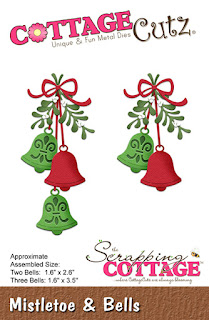
Using a fine-tip bottle of liquid glue, I adhered the Nativity scene, bells and bows to the front of the card.  As you can see, I cut down the "hangers" for the bells.


After gluing all the layers of Merry Christmas together, I glued the sentiment to the inside.  Just an FYI, the die I used for this sentiment actually says "We Wish You a Merry Christmas," but I cut out just the "Merry Christmas" portion.


Here again is my completed card.


CottageCutz dies used on my card are:


http://www.scrappingcottage.com/cottagecutzwewishyouamerrychristmaselites.aspx


http://www.scrappingcottage.com/cottagecutzmistletoeandbells.aspx


Thursday, December 7, 2017

CCEE1749 - Christmas Carols

Maryann is our CCEE Hostess for December.  She reminded us that we all love Christmas carols at this time of year and asked us to make a card inspired by any Christmas carol.  While it's not an old traditional Christmas carol, I always liked The Little Drummer Boy.


I invite you to visit the CCEE Stampers Blog to see if you recognize the Christmas carols which inspired the rest of the team.

Tuesday, December 5, 2017

Santa Scene Luminary

Last week I posted a photo of a luminary on Facebook that I had made using a CottageCutz Santa Village Scene, some white cardstock and vellum.  Several people asked me if there were instructions somewhere, and I had to admit that I had made it up as I went along.  I promised to make another one, take photos along the way, and write out the instructions.  Here is the one I just made.


For the outside of the luminary I cut the heavyweight white cardstock as follows:

1 piece - 4 1/4" x 10 1/2"
4 strips - (2) 1/8" x 4 1/4" and (2) 1/8" x 5 1/4"

And a piece of vellum 4 1/4" x 5 1/4"


I scored the long white piece at 1/8", 2 5/8", 7 7/8", and 10 3/8".


I folded on the score lines and burnished the fold lines to that they were very crisp.


Then I applied liquid glue to the back of the die cut . . .


. . . and centered it onto the vellum panel.


The 1/8" strips were then glued to the back of the vellum piece on all four sides.


Now came the tricky part.  I applied some liquid glue to the small 1/8" tabs on the luminary base and attached the vellum piece to each side.


As the glue was drying, I cut the panels to be applied to the outside of the luminary.

Blue - 5" x 4", (2) 2 1/4" x 4"
Patterned paper - 4 3/4" x 3 3/4", (2) 2" x 3 3/4"


I layered the patterned paper onto the blue strips and glued them to the outside of the luminary.


I found a package of four large tea lights in Michaels.  The best part about them is that the light can either flicker (one color) or change colors, depending which way you push the switch.


Thanks for stopping by today.  I hope you try one of these luminaries for your holiday décor!


Monday, December 4, 2017

Santa at the Window

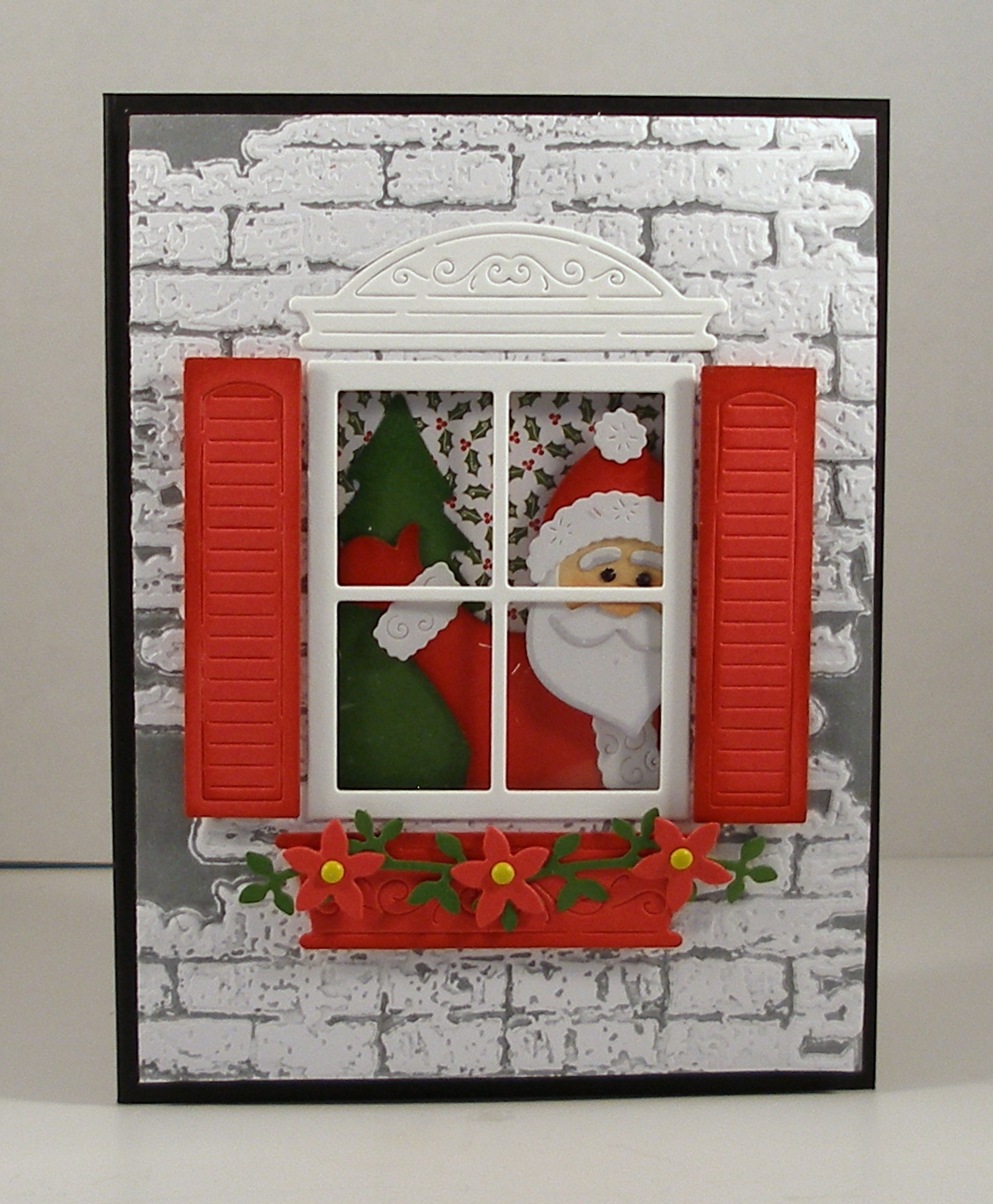
Today I used two coordinating CottageCutz dies, Window with Shutters and Window Christmas Friends, and a favorite embossing technique to create a Christmas card which was so fun to make.


To start my card I cut cardstock and patterned paper as follows:

Black - 8 1/2" x 5 1/2", scored at 4 1/4"
White - 4" x 5 1/4"
Patterned paper - 3" x 4 1/2"


One of my favorite embossing techniques is to ink up the embossing folder before placing the cardstock inside.  This Sizzix Bricked folder always works so well with this technique.  I inked it up with gray ink, inserted the white cardstock, and ran it through my Cuttlebug.  When you use a dye-based ink (such as Memento), the folder rinses clean under the faucet.


Next I die-cut the pieces from the coordinating dies, placing them on my sticky board to keep the small pieces from getting lost.


Using ink or markers, I added some texture to various die-cut pieces.


I wanted a window in my brick wall, so I laid the die-cut window in the center of the panel and drew inside the panes.  Then, using an Exacto knife, I cut the opening just outside the lines that I had drawn.


This photo shows the opening.


I placed some Scor-Tape around the perimeter of the window and cut a piece of acetate slightly larger than the opening . . .


. . . and, removing the protective paper from the Scor-Tape, I carefully placed the acetate over the opening.


I then glued the patterned paper in the center of the black card base.


I decorated the front of the card, gluing down the window frame and cornice and adhering the shutters and window box with foam pop dots.  After gluing the three flowers to the garland, I pierced the centers and added a yellow mini brad to the center of each.  I then glued the whole garland to the window box.


Before attaching the front of the card to the base, I had to construct Santa.  I used the illustration on the front of the packaging as a guide.  His head is attached with foam pop dots, which made it easy to place him on the front -- leaving his arm not glued down.  I then slipped the tree (on which I had applied some liquid glue) under his arm and pressed it down to hold it firm.  I had lined him up so that he would show through the window.


Because I had used pop dots on Santa's head, I needed to use thicker pop dots on the brick card front so that there was a bit of room between Santa and the window sheet.


I attached the brick card front so that Santa and the tree showed through the window -- and I was finished.


Be sure to check out all the wonderful Christmas dies on the CottageCutz website.  Dies used on this card are:

http://www.scrappingcottage.com/cottagecutzwindowwithshutters.aspx


http://www.scrappingcottage.com/cottagecutzwindowchristmasfriends.aspx